
If you’re like me, you’re always searching for a way to be more organized, with less effort. Social media + blogging + life in general is super overwhelming to try and tackle…and years ago I set out to find the ::perfect:: scheduling system for my business and crafty lifestyle. I found CoSchedule way back when, and have been a major fan ever since.
I don’t know why I never shared about them before, but here we are! Better late than never, right? I’m thrilled to share my experience with CoSchedule's Social Calendar – it’s been a real game-changer for my content planning!

What’s the Deal with CoSchedule’s Social Calendar?
Imagine a super-smart planner that not only organizes your social posts but also helps you craft a killer content strategy. That’s CoSchedule's Social Calendar in a nutshell! For us creative types juggling multiple projects, this tool is a godsend. CoSchedule’s Social Calendar helps you plan, schedule, and share your creations across all platforms. It’s essentially your social media command center!
I use it for practically everything: Wild+Wanderful, Bennett’s community photography project, my work with Patterns for Pirates…and I also use the checklist for personal projects, reminders, and whatnot. It’s a pretty stellar tool to have at my fingertips.
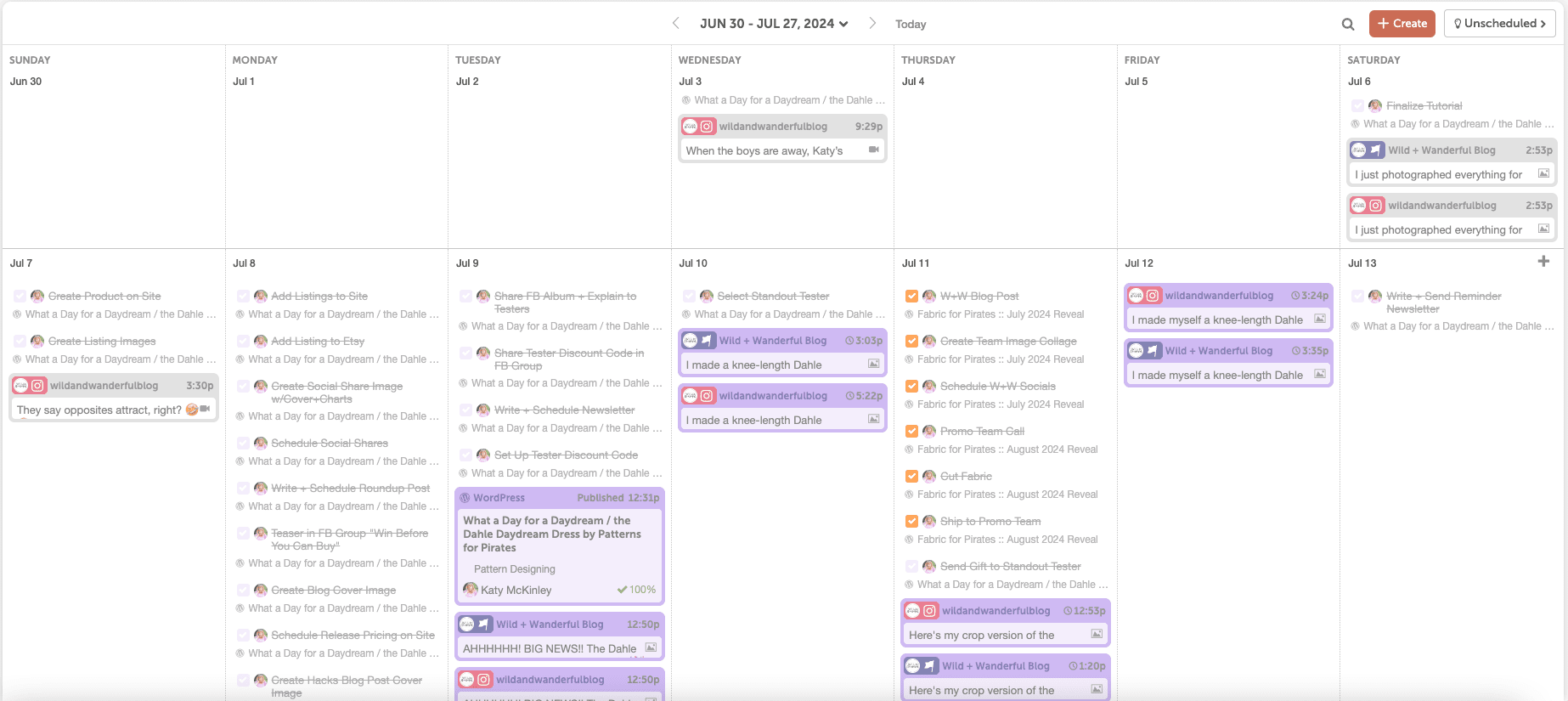
Currently, here are the social media platforms that you can schedule to from CoSchedule:
- Facebook,
- Instagram,
- LinkedIn,
- Pinterest,
- TikTok,
- X (Twitter),
- YouTube,
- Shopify,
- Mastodon,
- Bluesky
- Threads
There are also analytics for social engagement and performance, as well as social campaigns reports. I don’t utilize this nearly enough but maybe I’ll get my life together in the future to do so. I love that it’s there and I can glance at it every so often. But I really should use the data to my advantage more.
Features That Makes CoSchedule My Favorite
Let’s dive into some of the coolest aspects that make CoSchedule's Social Calendar a must-have for content creators like me:
- Drag-and-Drop Scheduling: You can visually plan your content by moving posts around on a calendar.
- Multi-Platform Publishing: Share your crafty creations on Facebook, Instagram, Pinterest, and more – all from one convenient hub! And it doesn’t limit you to 1 profile per platform. As long as you have the social seat licenses, you can have multiples of each.
- ReQueue: This smart feature automatically reshares your top-performing content, keeping your feeds fresh without extra effort. I totally slack on using this but it’s on my list to start utilizing with both Wild+Wanderful and Patterns for Pirates.
- Best Time Scheduling: CoSchedule analyzes when your audience is most active and suggests optimal posting times. This is my ::favorite:: feature. I love that it decides when the best time to post is based upon my followers and the interactions on my posts. Unless I have a specific time I want something posting, I let CoSchedule figure it out for me.
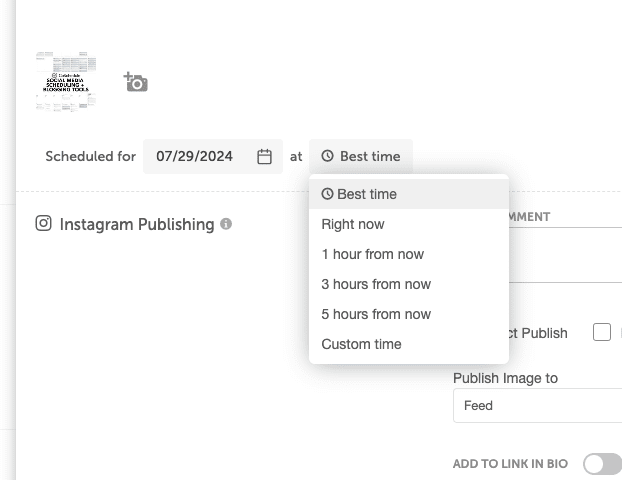
I was constantly scrambling to post something, often forgetting to share my latest blog posts or missing opportunities to engage with my awesome Wild+Wanderful community. I’ll be completely honest, I’m still not perfect at planning ahead. But having CoSchedule has seriously changed my game. When I have a blog post or something to share, I run to CoSchedule and load it up for the various social media platforms and just let it works its magic.
I can map out my content weeks in advance if I want. And often I do!
The Good, The Bad, and The Crafty: Keeping It Real
If you know anything about me, I’m not about to hold back on my feelings on products. Especially if I’m spending cold hard cash on it. CoSchedule’s Social Calendar has its strengths and weaknesses. Let’s break it down:
The Good Stuff:
- User-friendly interface – even if you’re not tech-savvy.
- Ideal for visual planners. I have everything color coded AND I have separate calendars for the different businesses I’m working on. So it’s not overwhelming and it’s pretty and colorful.
- Saves tons of time with bulk scheduling.
- Insightful analytics to help you understand what resonates with your audience.
- There is Ai built into the system now that I love to use for help with headlines / phrasing. She’s called Mia and I legit love using it when I need some backup.
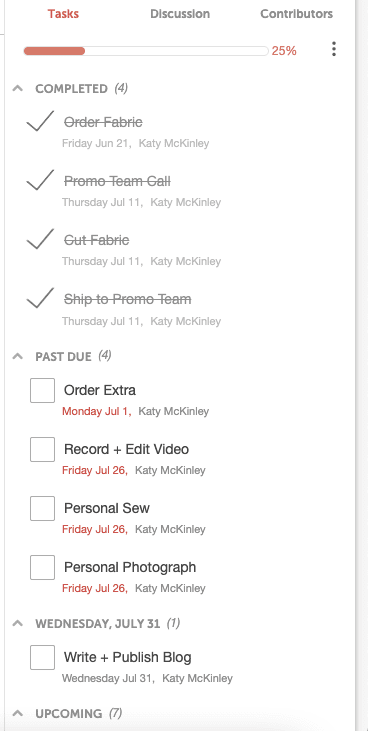
- Each project can have a sidebar of tasks. I even have templates saved for things like the P4P Flash Friday sales, or when I’m pattern drafting…so I can reuse the tasks that go with each of those without having to rewrite them. And I’ve got dates built into them, so I have deadlines for specific things built into my projects as I’m drafting them up.
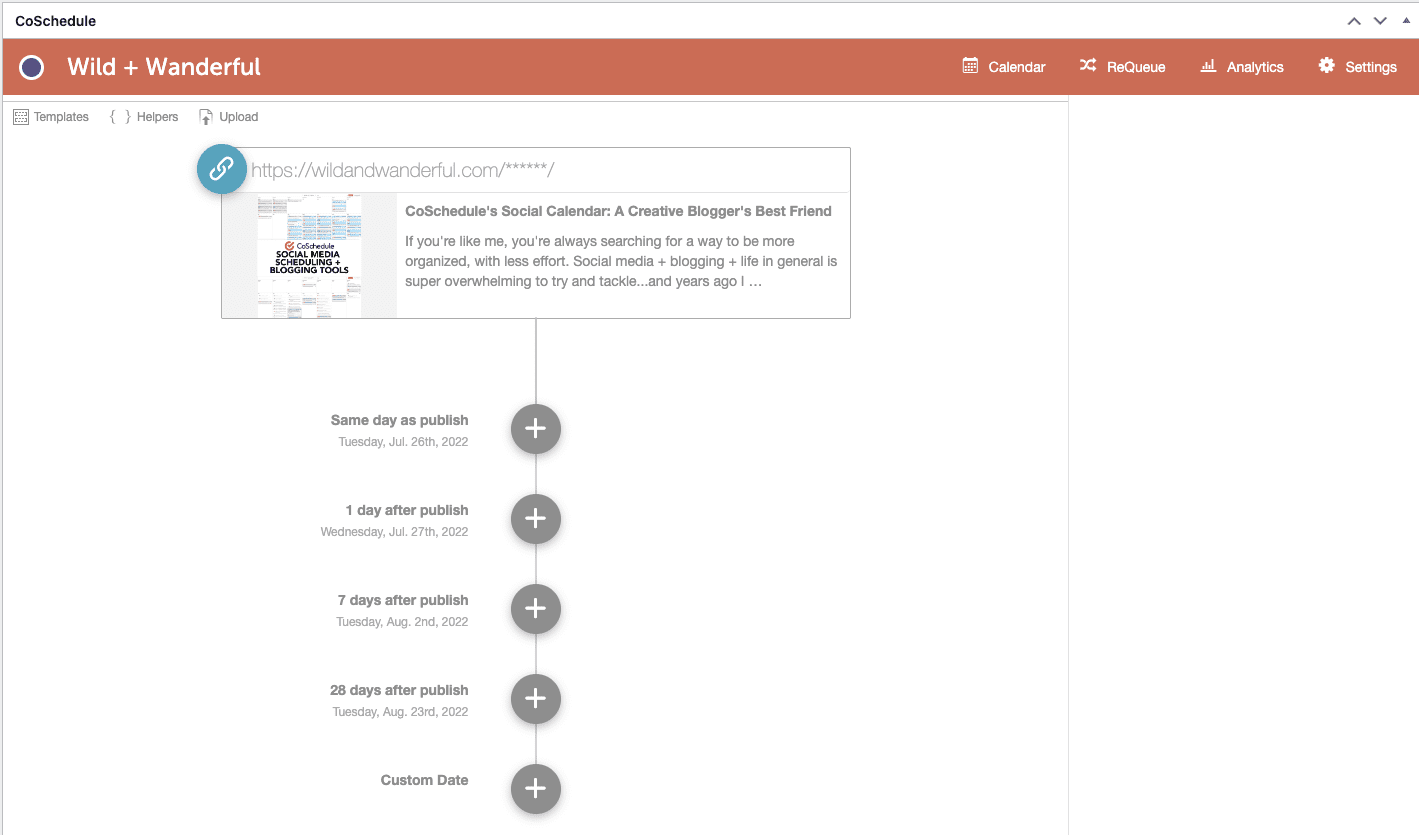
- It connects to WordPress and I can write and schedule blog posts from CoSchedule. LOVE this feature so so much. I also have a plugin on my site where you can utilize the social scheduler for CoSchedule…so as I’m finishing up my post, I can stay on the same page and write up all of my social shares right there.
- They keep adding new features! The last year has been incredible…they keep developing and adding new features to CoSchedule and it’s truly keeping me with them as a paid customer.
The Not-So-Great Stuff:
- It can be a bit costly for solo bloggers or small businesses. I have a 50% discount from a past Black Friday sale so it’s helped a lot, but if you’re just a solopreneur without a huge budget, paying $29/month adds up quickly. And that’s per seat too. If you’re a team, that price doubles.
- There’s a slight learning curve to maximize all the features.
- The images don’t preview on the main calendar. It does when you hover them, but I wish there was a more visual aspect to the photos that are scheduled for sharing as a whole. I like to see things laid out in front of me and this doesn’t do that…it’s strictly words until you hover over it.
- I’ve experienced occasional glitches with certain social media integrations. Most of the time, it’s the fault of Meta and their ever changing interfacing. I’m sure it’s a pain for CoSchedule developers to keep up with. Their help desk is super helpful (ha) and the customer service is stellar when there are issues.
Is CoSchedule’s Social Calendar Worth It?
In my humble (but enthusiastic) opinion, if you’re committed to growing your creative blog or brand, CoSchedule's Social Calendar is definitely worth exploring. It’s helped me maintain a consistent and engaging social media presence, freeing up more time for what I love most – creating!
I researched and signed up for the trial version of about 20 of these schedulers and CoSchedule is what I always come back to. I don’t think I’ll leave their system as long as I’m blogging and sharing my creations.
If you do decide to give it a try, CoSchedule has a “Forever Free Marketing Calendar” just like the one I’m using. It’s more limited than the paid version (of course) but might be worth giving it a try! Give it a go, maybe you’ll love it like I do!





0 Comments